
How to Invest in Stock Market Using PhonePe – Full Guide with Charges and PC App
Many people in India want to start investing in shares. But they think it is hard. They think they need a big demat account or a trading app. That is not true anymore. Now you can invest in stock market using your PhonePe app. Yes, the same app you use to pay electricity bill or send money to friends.
PhonePe started giving share market investment option a few years back. It is simple. It is safe. And it works inside your PhonePe app. You do not need to open another app. You do not need to remember new password. You just use your PhonePe.
In this article I will show you step by step how to invest in stock market using PhonePe. I will also tell you PhonePe share market charges. Because charges matter. I will also check if there is a PhonePe share market web portal. And how to use PhonePe share market app for pc. Because many people like to see share chart on big screen.
What is PhonePe Share Market Feature?
PhonePe got a license from SEBI. It partnered with a stock broker. That broker is called PhonePe Stock Broking. When you use PhonePe for shares, you are actually using this broker. But you do not feel any difference. Everything happens inside PhonePe.
You can buy and sell shares of companies like Reliance, Tata, Infosys, HDFC. You can also check live share price. You can see your profit and loss. You can add money from your bank account and buy shares. All from one app.
This is very good for a common Indian user. Because you do not need to learn new things. PhonePe already knows your PAN card and bank details. So setup is fast.
Step by Step Guide – How to Invest in Stock Market Using PhonePe
Follow these steps carefully. I will write each step clearly.
Step 1 – Update Your PhonePe App
First open Google Play Store or Apple App Store. Search PhonePe. See if there is an update. If yes, update it. New share market feature works best in latest version.
Step 2 – Open PhonePe and Go to Wealth Section
Open PhonePe app. On the home screen you will see many options. Recharge, Pay Bills, Send Money. Look for a section called Wealth or Invest. Sometimes it is written as “Stocks” or “Share Market”. Tap on that.
Step 3 – Start Your Account Opening
PhonePe will ask you to open a demat account. Do not worry. It is free. Tap on Open Account. PhonePe will take your details automatically from your PhonePe profile. Your name, mobile number, email.
Step 4 – Complete Your PAN and Aadhaar
You need PAN card to buy shares. Keep your PAN card ready. PhonePe will ask you to enter PAN number. Then it will ask for Aadhaar. You will do a video KYC. That means a small video call with PhonePe executive. He will ask your name and show your PAN card. This takes 5 to 10 minutes. Do it in good light.
Step 5 – Add Money to Your Trading Account
After KYC is done, your demat account is ready. Now add money. Go to Wealth section. Tap on Add Funds. Enter amount. Minimum is sometimes 100 rupees or 500 rupees. Use your UPI or net banking. Money goes to your PhonePe trading account. Not to bank. This money is for buying shares.
Step 6 – Search and Buy Shares
Now you can buy shares. Tap on Search. Type company name. Example – TATA MOTORS. You will see live price. Tap on Buy. Enter how many shares you want. Example – 5 shares. Then tap on Place Order. Your order goes to stock exchange. If price matches, shares come to your demat account.
Step 7 – See Your Shares in Portfolio
After purchase, go to Portfolio section. You will see your shares. You will see today’s profit or loss. You can sell anytime.
PhonePe Share Market Charges – Complete List
Many people do not check charges. Then they get surprised later. So let me tell you clearly. PhonePe share market charges are of four types.
1. Brokerage Charges
Brokerage is fee you pay to PhonePe for buying and selling shares. PhonePe takes zero brokerage on delivery trading. What is delivery trading? When you buy shares and keep them for more than one day. That is delivery. PhonePe does not take any fee for that. But for intraday trading – where you buy and sell same day – PhonePe takes some fee. Intraday charges are around 20 rupees per order or 0.05 percent. Which one is less? PhonePe takes that.
2. Demat Account Charges
PhonePe does not take yearly demat account fee for first year. After one year, they take around 300 to 400 rupees per year. Some users pay zero if they do many transactions. But general charge is 350 rupees per year.
3. Transaction Charges
When you buy or sell, stock exchange takes a small fee. PhonePe passes that fee to you. That is transaction charge. It is very small. Around 10 to 15 rupees per crore of trade. For small investors it is less than 1 rupee. You will not feel it.
4. Taxes – STT and GST
STT means securities transaction tax. Government takes it. For delivery, STT is 0.1 percent of sell price. For intraday, STT is 0.025 percent. Then GST is 18 percent on brokerage. So PhonePe share market charges are clear. Most small investors pay zero brokerage for delivery. Only taxes and small fees.

Compare this with other apps. PhonePe is cheaper than many traditional brokers. But slightly costlier than Zerodha for intraday. For normal delivery, it is almost same.
PhonePe Share Market Web Portal – Does it Work?
Many people ask – can I use PhonePe share market on my laptop? Is there a web portal? Answer is yes and no.
PhonePe does not have a full web portal like Zerodha or Groww. But you can use PhonePe stock market feature on web browser. Here is how.
Open Google Chrome on your laptop. Search for PhonePe Wealth website. Or go to stock.phonepe.com (check current working link). Log in using your PhonePe mobile number. You will get OTP on your phone. Enter OTP on laptop. Then you will see your shares, buy and sell options. But the web portal is basic. It does not have charts and indicators. It is good for placing orders. But not for detailed research.
So PhonePe share market web portal exists but it is limited. If you want full features, use mobile app. For simple buying and selling, web portal is okay.
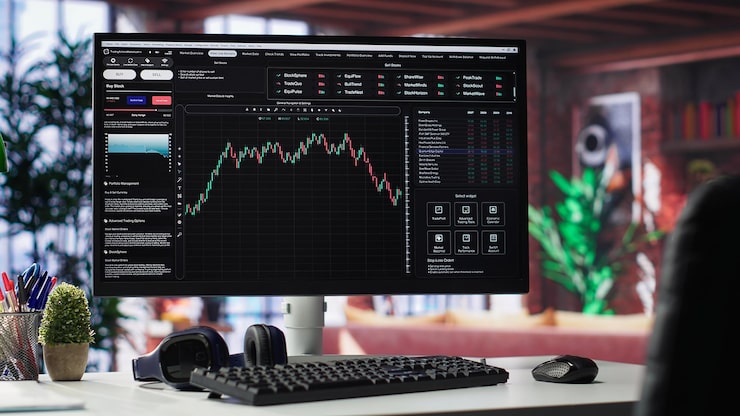
PhonePe Share Market App for PC – How to Use
Some people do not like mobile phone. They want to use share market app on big computer screen. So can you use PhonePe share market app for pc?
PhonePe does not have a separate PC app. But you can run the mobile app on your PC. How? You use an Android emulator. Emulator is a software that runs mobile apps on PC. Popular emulators are BlueStacks and LDPlayer.
Here is step by step to use PhonePe share market app for pc.
- On your PC, download BlueStacks from its official website. Install it.
- Open BlueStacks. Sign in with Google account.
- Inside BlueStacks, open Google Play Store. Search PhonePe. Install it.
- Open PhonePe inside BlueStacks. Login using your mobile number. OTP will come on your real phone.
- Now you will see PhonePe exactly like mobile app. Go to Wealth section. Buy and sell shares.
- Use your PC mouse and keyboard. Big screen makes it easier to see share prices.
But there is one problem. BlueStakes takes lot of RAM. If your PC is old, it will become slow. Also PhonePe does not officially support this. But it works. Many Indian users do this. So yes, you can use PhonePe share market app for pc using emulator.
Good Things About PhonePe Stock Market
- Very easy for new investors. No learning curve.
- Zero brokerage for delivery trading.
- No separate login. Your PhonePe password works.
- Fast UPI payment for adding funds.
- Safe and SEBI registered.
Bad Things About PhonePe Stock Market
- No advanced charting tools.
- Web portal is basic.
- No desktop app.
- Intraday charges are higher than discount brokers.
- Customer support for stocks is slower than PhonePe payment support.
Should You Use PhonePe for Share Market?
If you are a new investor and you already use PhonePe for daily payments, then yes. It is good for you. You will not feel any difficulty. You can buy 5 shares of Tata or 10 shares of ITC easily. You do not need to learn a new app.
But if you are a trader who buys and sells many times in a day, then PhonePe is not best. Because intraday charges add up. Also charts are basic. For that, use Zerodha or Groww.
For normal Indian middle class person who wants to put some money in shares and keep for months, PhonePe is perfect.
Final Words
Now you know how to invest in stock market using PhonePe. You also know PhonePe share market charges. You know that web portal is basic but works. And you know how to use PhonePe share market app for pc using emulator.
Start small. Buy one share of a good company. Watch it grow. Do not try to get rich fast. Share market is for patient people. PhonePe makes it easy for you. So open your app today. Complete KYC. Add 1000 rupees. Buy your first share. That is how real investing starts.
FAQs
Is PhonePe safe for share market?
Yes. PhonePe Stock Broking is SEBI registered. Your shares are kept with a depository like CDSL. Even if PhonePe closes, your shares stay safe.
Can I buy IPO using PhonePe?
Yes. You can apply for IPO from the Wealth section. PhonePe supports IPO applications.
What is minimum amount to invest?
You can start with 500 rupees. You can buy one share of a low price company.
Does PhonePe show live share price?
Yes. It shows live price from NSE and BSE.
Can I sell shares bought from PhonePe to another broker?
Yes. You can transfer shares to any other demat account. PhonePe allows share transfer.